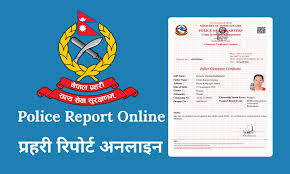
Applying for a Nepal Police Report (Police Clearance Certificate) is now fast and free through the official Online Police Clearance Registration (OPCR) portal. A Police Report (also called a PCC – Police Clearance Certificate) is a government-issued document that confirms whether an individual has any criminal record in Nepal’s central police database.
It is issued by Nepal Police Headquarters (Naxal, Kathmandu) and is required by embassies, foreign employers, universities, and immigration authorities to verify your background. The online portal lets Nepali citizens and legal residents apply 24/7 from anywhere in the world, and the PDF report includes a QR code and dispatch number so it can be instantly verified by foreign authorities.
What is a Police Report?
A Police Report Online (Police Clearance Certificate, PCC) is an official document confirming whether a person has any registered criminal cases in Nepal. It is based on data from the Nepal Police’s Criminal Investigation Department..
Nepal Police issues the PCC through the OPCR online system. In practice, applicants submit personal details, ID documents, and a photo; Nepal Police then verifies the applicant’s criminal record against its Central Crime Database.
For international use (visas, work abroad, immigration), the PCC must be additionally stamped by Nepal’s Department of Consular Services (Ministry of Foreign Affairs) to authenticate it.
Nepal Police and embassies use this report to check criminal history and conduct background verification. For example, when applying for a visa or foreign job, the Immigration Department will verify a clean record from the PCC. Banks, employers, and universities may also require a PCC to confirm an applicant’s character and identity.
Police Report Online Required Documents
To apply online, you must scan and upload the required documents in approved formats (JPEG, PNG, or multi-page PDF). Prepare clear scanned copies of the following:
- Citizenship Certificate – For all Nepali citizens, upload a clear scan of both front and back. This is mandatory for Nepali applicants.
- Passport – If needed for your application (e.g. visa or foreign employment), scan pages 2, 3, and 31 of your passport. Old-format passports require merging certain pages per instructions.
- Recent Photo – A passport-size photo (35 mm × 45 mm) on a plain white background. The photo should be a recent color image with ears visible and face covering ≥50% of the frame.
- Marriage Certificate – If married, a copy of your marriage certificate to include your spouse’s name on the report.
- Migration Certificate – If you have permanently moved since getting your citizenship, include your migration certificate.
- Additional Documents – Upload any supporting documents (e.g. visa invitation letter, job offer, study acceptance) explaining the purpose of the PCC. A recent proof of address (utility bill, lease agreement, or voter ID) dated within 3–6 months is also recommended.
Recommended Document Quality: Scan all files to about 150 KB each (max 300 KB). This ensures fast upload and system compatibility.
Recommended document quality
Keep your document scans legible but not oversized. Files should be clear and within the portal’s recommended sizes (about 100–150 KB; maximum 300 KB). Blurry or over-compressed images can lead to rejection, so use good lighting and resolution.
Citizenship Requirements
You must be either a Nepali citizen or a legal resident of Nepal to apply. Nepali applicants upload their citizenship certificate; foreign residents upload passports and valid visa/permits.
Age Requirements
Applicants must be at least 16 years old. Those under 16 can apply only through a parent or guardian.
Legal Status
Your record should have no unresolved criminal cases or outstanding legal obligations in Nepal. Applicants must declare any past charges or convictions truthfully. Lying about criminal history will cause rejection.
Police Report Online Photo Size
The portal requires a 35mm×45mm (3.5 cm×4.5 cm) passport-style photo. It must have a white background, show both ears, and the face should cover at least half the image. A recent, clear photo is mandatory. Upload it as instructed in the Documents stage of the form.
My Experience Applying for Police Report Online in Nepal
Applicants generally find the OPCR portal straightforward once their documents are ready. First, you register an account (providing name, gender, mobile number, and email) on the official site. The system emails you a username and temporary password, which you use to log in and set a new password. Using a personal email is important – the portal sends all confirmations and status updates there.
After logging in, you fill a five-part online form. In Stage 1, enter your names exactly as on your citizenship certificate, add parents’ names, birth date, and upload your passport-size photo. In Stage 2, carefully copy your permanent address exactly as written on your citizenship. (Tip: address mismatches are the single most common cause of rejections.)
Stages 3–5 involve uploading the documents (ID, marriage certificate, passport pages), answering a self-declaration question about criminal history (answer honestly!), and then reviewing and submitting the form.
Once submitted, the OPCR system typically processes the certificate within 2–3 working days. The portal will show your application status (Under Review, Pending, Approved, etc.). When it is Approved/Completed, you can immediately download the PDF file. In our experience, as long as all details and documents were correct, the process is smooth and quick. Any corrections (e.g. re-uploading a missing document) can be done via the portal if the status shows “Pending Additional Information”.
Why You Need a Police Report Online in Nepal
A Nepal Police Report is widely required for official purposes. Embassies almost always require it for visa processing – whether for work, tourist, or immigration visas. Countries like Qatar, UAE, UK, Australia, Japan, and many others mandate a clean PCC for foreign workers.
Universities and scholarship programs abroad (US, UK, Canada, Australia) often ask for a PCC as part of admissions. Even Nepalese banks, healthcare institutions, schools, or government agencies may request a PCC when hiring or licensing individuals.
In short, anywhere you need to prove “no criminal history,” a PCC is necessary. A police report builds trust by verifying your character and identity. For Nepali citizens, it is an official “character certificate” endorsed by Nepal Police. Submitting it helps satisfy visa officers, employers, or other authorities that your background is clear.
Here’s why you may need it:
- Visa Applications: Almost every country’s embassy/immigration requires a PCC for employment, tourist, student, or immigration visas.
- Foreign Employment: Mandatory for jobs abroad (e.g. Gulf countries, Australia, Europe) especially in regulated sectors.
- Study Abroad: Foreign universities and scholarships (US, UK, Canada, etc.) typically ask for a PCC during admissions.
- Job Applications (Domestic or Abroad): Many Nepali and international employers (banking, security, healthcare, education) request a PCC as part of background checks.
- Immigration/Residency: Required for permanent residency (PR) applications (e.g. US Green Card, Australian PR), visas on the Diversity Visa lottery, or other immigration programs.
- Legal or Court Proceedings: If you need to submit evidence of character or criminal record abroad, embassies and courts will want the attested PCC.
- For Foreigners/Refugees: Non-Nepali residents who lived in Nepal (expats or refugees) must apply at the OPCR portal similarly.
In Nepal, the online PCC is the same official certificate whether you call it “Police Report” or “Police Clearance Certificate (PCC)”. The only difference is that for international use, it must be attested by Nepal’s Department of Consular Services (MOFA). Until attestation, the downloaded PDF has a QR code for authenticity, but embassies will typically require the final stamped version.
Police Report Online Process in Nepal
Applying online involves a few clear steps on the OPCR portal:
- Visit the official portal: Go to the Online Police Clearance Registration system at opcr.nepalpolice.gov.np. The portal is available 24/7 from anywhere.
- Register a new account: Click “Register” on the homepage, select your category (Nepali, Foreigner, Refugee), and fill in your details (full name, gender, mobile number, email). Complete the CAPTCHA and submit. You will receive an email with a username and temporary password. Log in and immediately set a new secure password.
- Fill out the online application form: After login, click “Online Application for Police Clearance Certificate.” The form is divided into five stages. In Stage 1, enter your personal information exactly as on your citizenship certificate and upload your passport-size photo. In Stage 2, enter your address (copy it character-by-character from your citizenship to avoid mismatches). Stage 3 is uploading documents: citizenship, marriage certificate (if married), passport pages, etc. Stage 4 is a self-declaration about criminal history (answer truthfully). Stage 5 is review and confirmation; submit the form once all details are correct.
- Confirmation and tracking: After submission, the system will show a confirmation message and send an email. Make note of your Reference/Dispatch Number immediately. You can then click “View Application Status” in the portal to track your application. The status can be In Progress (Under Review), Pending (needs more info), Approved/Completed, Rejected, or On Hold. The portal tells you what action to take (for example, re-upload missing docs if status is Pending).
- Download the certificate: When your status shows “Approved” or “Completed”, click “Download Certificate”. The police report will open as a PDF. Save a copy. (It is issued in English and Nepali. If you need an English-only translation for a foreign authority, use an authorized translator). After downloading, note the dispatch number (it’s printed top-left) – you’ll need this for the consular stamp.
All status updates (and login details) are sent via email, so use an email you check frequently. Throughout the process, ensure your scanned documents meet the requirements. Carefully double-check names, dates, and addresses before submitting to avoid rejection.
Nepal Police Report Form
If you choose to apply offline (in person), you must get a physical application form at a local police office. Visit your nearest District Police Office (DPO) or Metropolitan Police Office, ask the counter for the PCC form, and fill it out manually. However, using the online form is strongly recommended, since it saves time and automatically verifies inputs (and it’s free).
Police Report Online Price
One major advantage is that the online application has no government fee. Applying via opcr.nepalpolice.gov.np is completely free of charge. (This is confirmed by the U.S. State Dept. and Nepal Police sources.)
In contrast, offline applications have a fee. If you apply in person at a district office, you must pay NRs. 500–1,000 in cash (varies by district). An expedited or urgent service (by visiting Nepal Police HQ in Kathmandu) costs NRs. 1,500–2,000.
The only fee you’ll ever pay is for the final consular attestation stamp – NRs. 500 (paid online via MOFA). In summary: the police report itself is free; the NRs.500 is only the MFA attestation fee for international use.
Police Report Online Check Process
To check your application status online, log in to the OPCR portal and select “View Application Status.” The system will display your application’s current status. The possible statuses are:
- In Progress/Under Review: Police are verifying your application. (Usually wait 1–2 days).
- Pending Additional Information: You need to upload missing documents or correct info. Log back in and fix it immediately.
- Approved/Completed: The report is ready. Click “Download Certificate”.
- Rejected: There was an issue (missing/incorrect data). The portal will list the reason; correct it and reapply.
- On Hold: Your details match a record (or need human review). See below for how to resolve.
If there is a QR code on your downloaded PDF, foreign authorities can scan it to verify authenticity (this confirms the report is genuine). Alternatively, you can use the dispatch number and last name on Nepal Police’s site to cross-check the certificate.
Police Report Online vs Offline in Nepal
Online (OPCR Portal): Free, fast (≈2–3 working days), and can be done from home via the official website. You only need an internet connection and the scanned documents. Status updates and the final PDF are provided digitally.
Offline (In Person): Must visit a District Police Office to get and submit the PCC form. Pay NRs. 500–1,000 in cash, submit originals of citizenship, passport, photos, etc. Background verification is done by police manually across districts. Typically, it takes 1–3 working days to get the certificate. The offline route is slower (plus travel) and costs money, so online is generally preferable.
Embassy Verification for Nepalese Abroad
When applying for a visa or job abroad, your Nepal PCC must be officially attested (stamped) by Nepal’s Ministry of Foreign Affairs (the Consular Services department). Nepal embassies in other countries do not issue the PCC themselves; they only attest the Nepal-issued certificate. The Government of Nepal instructs applicants abroad to apply through the online portal.
Once you download the free PCC PDF, you pay the NRs.500 consular fee online (via Nepal’s e-payment platforms) and obtain the attestation stamp in Kathmandu. The stamped certificate is then valid for embassy submissions and recognized internationally. Without the stamp, the online report is generally only valid for domestic use.
Nepal’s Ministry of Foreign Affairs (Tripureshwor, Kathmandu) is the only office that applies the consular stamp for PCCs. After payment (via eSewa, Khalti, Connect IPS, etc. – see below), the authenticated PDF can be downloaded and sent to embassies or immigration authorities.
Common Reasons for Application Rejection
Rejections usually stem from errors or missing information. The most common issues are:
- Address Mismatch: If your permanent address in the form doesn’t exactly match your citizenship certificate, the system may reject it. Always copy the address text character-for-character from your citizenship.
- Name or Data Errors: Enter all names (including middle name, if any) exactly as on your citizenship. Typos in birth date or gender can cause problems.
- Document Problems: If scanned documents are unclear, incomplete, or illegible, the application will be flagged. Ensure scans are sharp, complete, and within size limits.
- Unresolved Criminal Cases: If Nepal Police finds any existing cases in the database, your application may be placed “On Hold” for manual review.
- Duplicate Records (“On Hold”): If your name, DOB or address closely matches someone with a police record, the system might not auto-approve. This “On Hold” status is not a rejection, but it requires action.
If your application goes On Hold, do not panic. You can resolve it by following Nepal Police’s guidelines: first, try calling Nepal Police Headquarters (Naxal, Kathmandu) at +977-1-5719865 (or 9851285920) with your application ID. Often they can clear it by phone. If not, visit Police HQ with your original citizenship and a copy – officials will identify the matching record and advise the next steps. Typically, they will direct you to a District Administration Office to verify your identity with a genealogy certificate (“Teen Pusta Bibaran”). Once the DAO confirms your identity, Nepal Police will clear your name and automatically approve the report. This resolution process can take 1–2 weeks in rare cases, so apply early if you have upcoming travel plans.
Tips for Successful Nepal Police Report Online Application
- Use a personal, frequently-checked email: The OPCR system sends all usernames, passwords, and status updates via email. If you miss these emails, you could lose access.
- Match your information exactly: Enter your name, date of birth, and address exactly as they appear on your citizenship certificate. Consistency is crucial – even small typos can trigger rejections or delays.
- File size & format: Stick to JPEG/PNG/PDF formats, and keep each file around 100–150 KB (max 300 KB). Very large files may fail to upload.
- Quality scans: Ensure all document scans are clear (no blur or shadows). Color scans are preferred for photos/documents. Check that all edges are captured.
- Honesty on history: Always answer the self-declaration honestly. If you have any prior case (resolved or not), state it and provide details. Hiding a case can lead to permanent rejection.
- Note your Dispatch Number: Immediately after downloading the PDF, note the dispatch number (top-left corner). You’ll need this exact number for payment and stamp processing.
- Prepare in advance: Gather and scan all documents before starting. It’s easier to complete the form in one session. Ensure you meet all photo and file requirements in advance.
- Follow portal instructions: The portal itself provides guidance in Nepali and English. If unsure, refer to help links or video tutorials (many Nepali tech channels explain the process).
Police Report Online Nepal Contact Number
For help or queries, contact Nepal Police Headquarters (Naxal, Kathmandu). The main line is +977-1-5719865 (and mobile +977-9851285920). You can also email [email protected] (during office hours) for assistance. Use these official channels if you have trouble with your application or need to follow up on status.
Apply for Police Report Online
Follow these sub-steps on the OPCR portal:
- Visit the official portal: Go to opcr.nepalpolice.gov.np.
- Create an account: Click Register and choose your category (“I Am Nepali” or appropriate). Enter your name, gender, mobile number, and email. Complete CAPTCHA and submit. You will receive a username and temporary password by email.
- Log in and fill the form: After setting a new password, log in. Click “Online Application” to access the form (Stage 1: personal info, Stage 2: address, etc.). Enter all requested details carefully (full names, citizenship number, etc.), then proceed through Stages 3–5 uploading documents and confirming details.
- Submit and track: After submitting, use “View Application Status” on the portal to track progress. If it’s approved, download the report. If more info is needed, you’ll be prompted to log back in and update.
- Tracking Application Status: Log in at the OPCR portal and click View Application Status. You will see exactly which stage your application is in (Review, Pending, Approved, etc.). When it shows Approved/Completed, click Download Certificate to get your PCC as a PDF.
Police Report Online By Video Guide
For many applicants, it helps to watch a video walkthrough in Nepali. There are step-by-step tutorials on YouTube by Nepali tech and news channels demonstrating the OPCR portal process. These usually show all stages of registration and form-filling in real time. If you are new to the process, consider searching online for a recent “Police Report online Nepal” video guide – they can clarify each click and document requirement (though our steps above cover the essentials).
Police Report Apply Process in Nagarik App
Nepali citizens can also apply via the official Nagarik App (a government mobile app). The Nagarik App provides central access to services like the PCC. To use it:
- Install the App: Download Nagarik App from Google Play or the App Store. Verify your account with your mobile number (SIM must be registered in your name).
- Link Your Documents: In the app, link your scanned citizenship certificate (mandatory) and passport (required if you need the PCC for a visa).
- Request a Report: Select “Request Report,” then fill in your personal details (full name, address, etc.) and upload your passport-size photo (35×45 mm).
- Submit and Wait: Tap Submit. The app sends your request to Nepal Police HQ for verification.
- Download the Certificate: Once approved, go to the Police Clearance Certificate section of the app and download your certificate as a PDF.
Note: Processing via Nagarik App takes about 3–7 working days (slower than the portal’s 2–3 days). If you need the PCC urgently, using the OPCR web portal is faster. Also, the app only supports personal applications (you cannot apply for someone else).
Process for Police Report Offline
If you cannot apply online, do it in person:
- Visit a Police Office: Go to your nearest District Police Office (DPO) or Metropolitan Police Office.
- Get the PCC Form: Ask for the Police Clearance Certificate application form at the counter.
- Fill in Details: Complete the form with accurate personal information (full name, current address, date of birth, citizenship number, purpose of application). Double-check all entries for correctness.
- Submit Documents: Provide the required originals (citizenship certificate, valid passport) and copies, plus 2–4 passport-size photos. Also include proof of residence (utility bill, rental agreement) if possible.
- Pay the Fee: Pay the processing fee in cash (around NRs. 500–1,000, depending on the district). Keep the payment receipt; it is your tracking ID.
- Background Check: Police will verify your information across relevant districts.
- Collect Your Report: Return to the office (usually next day or within 1–3 working days) with your receipt and ID to pick up the police clearance certificate.
This offline method is slower and involves travel, but follows roughly a similar verification process by police. After collection, you still need to pay for consular attestation if using it abroad.
Police Report Online Time
- Online (OPCR portal): ~2–3 working days for processing and email delivery of the PDF (plus ~5 hours to 1–2 days for the consular stamp after payment).
- Nagarik App: ~3–7 working days (may be slower due to app queue).
- Offline (Police Station): ~1–3 working days for the station to issue the certificate.
- Urgent/HQ (Express): If you go in person to Nepal Police HQ, same-day or 1–2 days processing is possible (fees NRs. 1,500–2,000).
Processing can slow during Nepali holidays or festivals. Always apply 2–3 weeks in advance of any deadlines.
Police Report Online Payment
The only payment required is the NRs. 500 consular attestation fee (for embassy use) after downloading the report. Payment is made on the Department of Consular Services website (att.nepalconsular.gov.np) in Step 7 of their process. You can pay via:
- eSewa (Government Payment): In the eSewa app, choose “Govt. Payment” and enter the EBP number from Step 6. Enter NRs. 500 and confirm with OTP.
- Khalti: Open Khalti, select govt. payment, enter the same EBP number and amount NRs. 500.
- Connect IPS: Pay via ConnectIPS (note there is a small NRs.2 transaction charge).
- IME Pay or Bank Voucher: Use IME Pay, or select “Create Bank Voucher” and pay at any Global IME Bank branch (this generates a payment code for NRs. 500).
After payment, you must click “Verify Payment” on the portal to complete the attestation process. The website will then allow you to download the stamped certificate.
Police Report Online Download
Once your application is approved, download the report as follows: Go to opcr.nepalpolice.gov.np, log in, and click “View Application Status.” When you see Approved/Completed, click “Download Certificate.” The police report opens as a PDF in a new browser tab. Save this PDF and make a backup copy. (It contains a QR code and dispatch number for verification.) This PDF is your official Police Clearance Certificate (in Nepali and English).
Police Report Online Check
To verify a certificate (for yourself or others): Use the QR code on the PDF with any standard QR reader (it checks authenticity). Or visit the OPCR site’s “Cross Verify” page and enter the dispatch number, your last name, and DOB. The system will confirm whether the certificate is valid and matches its records. This allows foreign employers or embassies to quickly verify the document.
Why You Need a Police Report Online?
Even if you weren’t explicitly asked for a PCC, having one ready is smart if you plan anything involving international travel or new employment. Many Nepalis discover late that every visa/interview requires it. Obtaining it online ensures you have this “character certificate” on hand ahead of time. It saves last-minute stress and travel – you can apply from home or abroad, and it arrives quickly by email.
Eligibility Criteria for a Police Report in Nepal
Applicants must meet these criteria:
Citizenship Requirements
- Nepali citizen: Must hold a valid Nepali citizenship certificate and use that in the application.
- Foreign national/resident: Must have legally resided in Nepal with a valid visa/residence permit. Provide passports and visas as instructed.
Legal Status
- No unresolved criminal cases or pending charges in Nepal.
- No outstanding legal penalties or obligations.
Age Requirements
- Applicant must be 16 years or older.
- Under-16 applicants need a parent or guardian to apply on their behalf.
Police Report Online Cost
- Government fee: NPR 0 for the online application. (Applying itself is free.)
- Consular Stamp: NPR 500 fixed (paid after download).
- Offline fee: If applying in person, roughly NPR 500–1000 cash, depending on district.
- Express fee: At Police HQ, NPR 1500–2000 if you need it urgently.
Embassy Verification for Nepalis Abroad
To use the PCC overseas, Nepal’s embassy or immigration office will require it to be attested by MOFA. After downloading the free report, you must go through the Department of Consular Services (Tripureshwor, Kathmandu) to get the official stamp. Nepali embassies do not issue new certificates; they only process attestation. The Nepalese Embassy in Washington explicitly directs applicants to the police website for the PCC.
After paying the NRs. 500 fee online, you will receive the stamped PDF – this attested document is accepted internationally. Without the stamp, most embassies will consider it invalid for visa purposes.
Police Report Verification
Foreign embassies can verify the PCC by scanning the QR code on your certificate (no additional steps needed) or by entering the dispatch number at the OPCR verification page. This QR-based verification is a key benefit of the online system – it proves your report is genuine and signed by Nepal Police.
Common Problems & Solutions
- Application “On Hold”: As noted, this often happens if your details match another person’s criminal record. Solutions: call +977-1-5719865 with your application ID, or visit Police HQ and DAO as directed.
- Rejection due to data issues: If status shows Rejected, the portal lists the reason. Common fixes are re-uploading the correct document or fixing typos. Always review the rejection note, correct the problem, and re-submit using the same account.
- Payment problems: Make sure to copy the EBP/Reference Number exactly when paying for the stamp. If payment isn’t recognized, use the “Verify Payment” feature on the consular site.
- Expired documents: Don’t use expired passports or documents. Always upload currently valid IDs and photos.
- Internet issues: If the portal seems slow, try a different browser or wait a few hours. Check that your files meet format/size rules if uploads fail.
By following instructions carefully and double-checking each step, you can avoid most problems. Keep your login and reference numbers safe for follow-up.
Tips for Successful Police Report Online Application
- Use your own verified email and phone: Nepal’s OPCR system and Nagarik App both link to your personal identity (SIM/mobile). Use your own (or parent’s if underage) for registration.
- Match exactly: Fill every form field exactly as shown on your IDs. Copy names and addresses character-for-character.
- Prepare documents in advance: Have all scans ready and correctly sized before starting. Check photo spec (35×45mm, white background) beforehand.
- Be patient and follow updates: Monitor your email and portal status. If an update is requested, act quickly to upload missing information.
- Note reference numbers: Write down your application ID and Dispatch Number when given. These are needed for queries or stamp requests.
- Review before submitting: Before hitting submit, review all entries and uploads. Mistakes can lead to delays. The portal allows checking each page before final submission.
Police Report Online Nepal Contact Number
For any assistance, Nepal Police’s Character Verification Section (Kathmandu) can be reached at +977-1-5719865 or mobile +977-9851285920. You may also email [email protected]. These are the official contact points if you encounter issues or need clarification from Nepal Police.
FAQ
Q: How do I apply for a Nepal Police Report online?
A: Prepare the required documents and visit opcr.nepalpolice.gov.np. Register an account, then fill out the five-stage online form (personal info, address, documents, etc.). Submit, then log back in to track your status. When approved, download the PDF certificate.
Q: Is there a fee to apply online?
A: No. The online PCC is free. The only fee is NRs. 500 for the consular attestation stamp (paid after download).
Q: How long does it take to get the police report?
A: The OPCR portal usually processes applications in 2–3 working days. If you apply via the Nagarik App, it takes about 3–7 days. Offline processing at a police station takes about 1–3 days.
Q: Can a foreign national apply for a Nepal Police Report?
A: Yes. Foreign residents (non-Nepalis) who have lived in Nepal can apply online at the same portal. They must upload a copy of their Nepali visa/residence permit and passport instead of a citizenship certificate.
Q: How do I check the status of my application?
A: Log in to the OPCR portal, click “View Application Status,” and you will see if your report is under review, pending, approved, etc.. When it shows “Approved/Completed”, click “Download Certificate”.
Q: Why is my application on hold? What should I do?
A: “On Hold” typically means your details match an existing record. First, call Nepal Police HQ (+977-1-5719865) with your application ID. If needed, visit Naxal (Kathmandu) with your citizenship; police will direct you on verifying your identity (usually via DAO) to clear the hold.
Q: How can I pay for the consular stamp fee?
A: After you download the PCC, go to att.nepalconsular.gov.np on the Department of Consular Services website. You will have an EBP reference number. Pay NRs. 500 using eSewa, Khalti, ConnectIPS (plus NRs.2 fee), IME Pay or bank voucher. Then verify the payment on the site.
Q: How do I verify the authenticity of my police report?
A: The downloaded PDF has a QR code. Any embassy or authority can scan it – it will show the report’s validity. Alternatively, go to the OPCR portal’s “Verify” page and enter the dispatch number, last name, and DOB. This confirms the certificate’s authenticity